

9 min to read
How to Design and Implement a Stellar Test Automation Strategy: The Best Practices and Checklist
 What is a test automation strategy?
A test automation strategy defines the use of automation frameworks throughout the test cycle. The strategy covers both manual and automated test planning, test cases, automation scripts, definition of test environments, test data, results, execution logs, and output. Devising a strategy can help you validate your test automation efforts and lead to an optimized and higher software quality.
Before laying out your strategy, you must follow a checklist as a precursor that contains the defining aspects of your test automation strategy.
Test automation strategy checklist
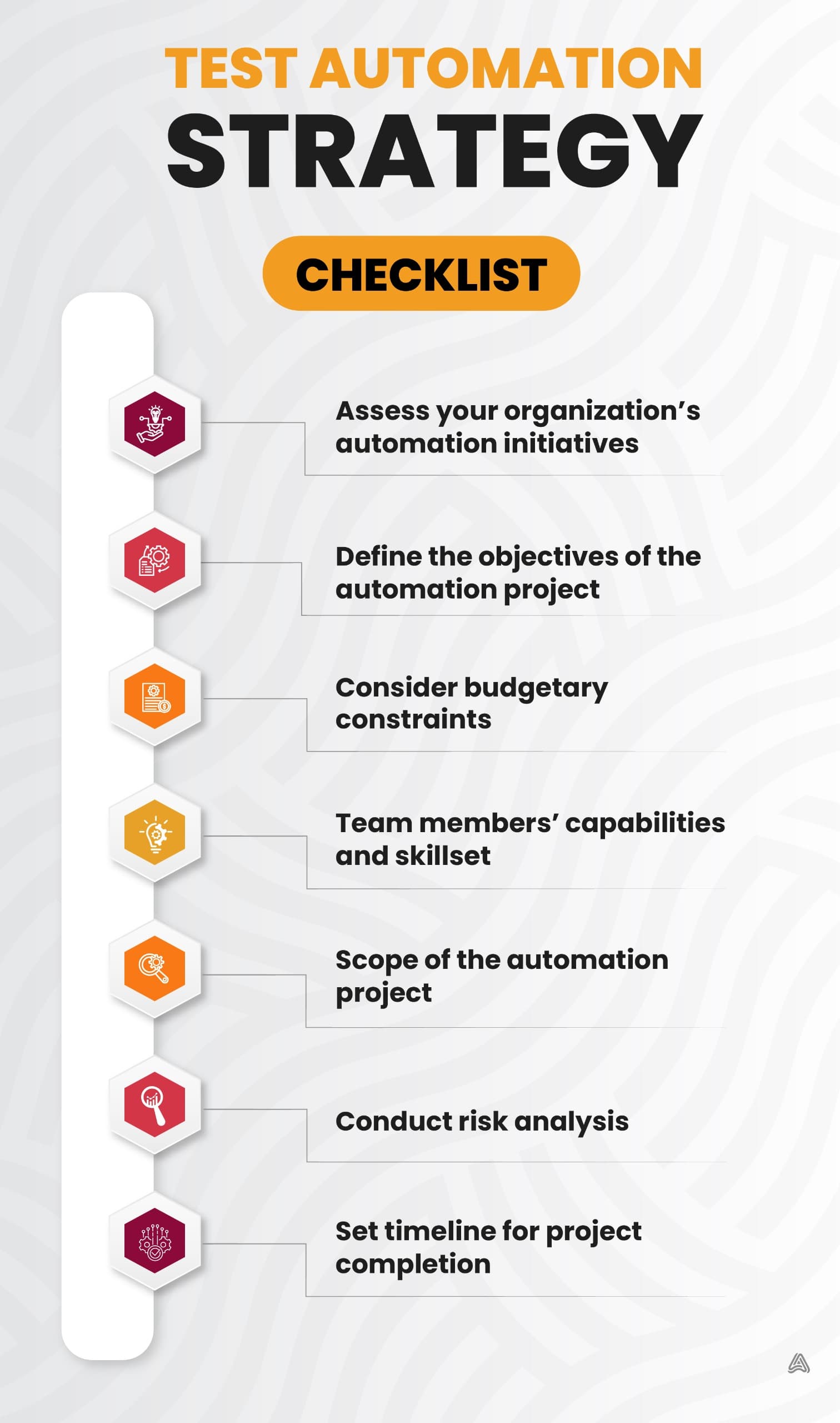
Let’s look at the checklist that makes a test automation strategy robust. This checklist highlights crucial aspects concerning the planning, execution, and success of a test automation process.
- Conduct a test automation assessment to estimate your organization’s current status of automation initiatives.
- Ensure that the objectives of the test automation project are well-defined and you have secured buy-in from your stakeholders for the automation initiative.
- Check for budgetary constraints, if any, to ensure enough budget for all test automation objectives. Ensure that the management and the team’s expectations of the outcome are realistic.
- Determine if all the team members are comfortable and capable enough to use the chosen automation tool.
- Clearly define the scope of the test automation project.
- Explicitly define all assumptions you made about the project and conduct a risk analysis to establish the potential impact of introducing automation.
- Mention a timeline for the completion of the automation project.
Best practices for crafting a competitive test automation strategy
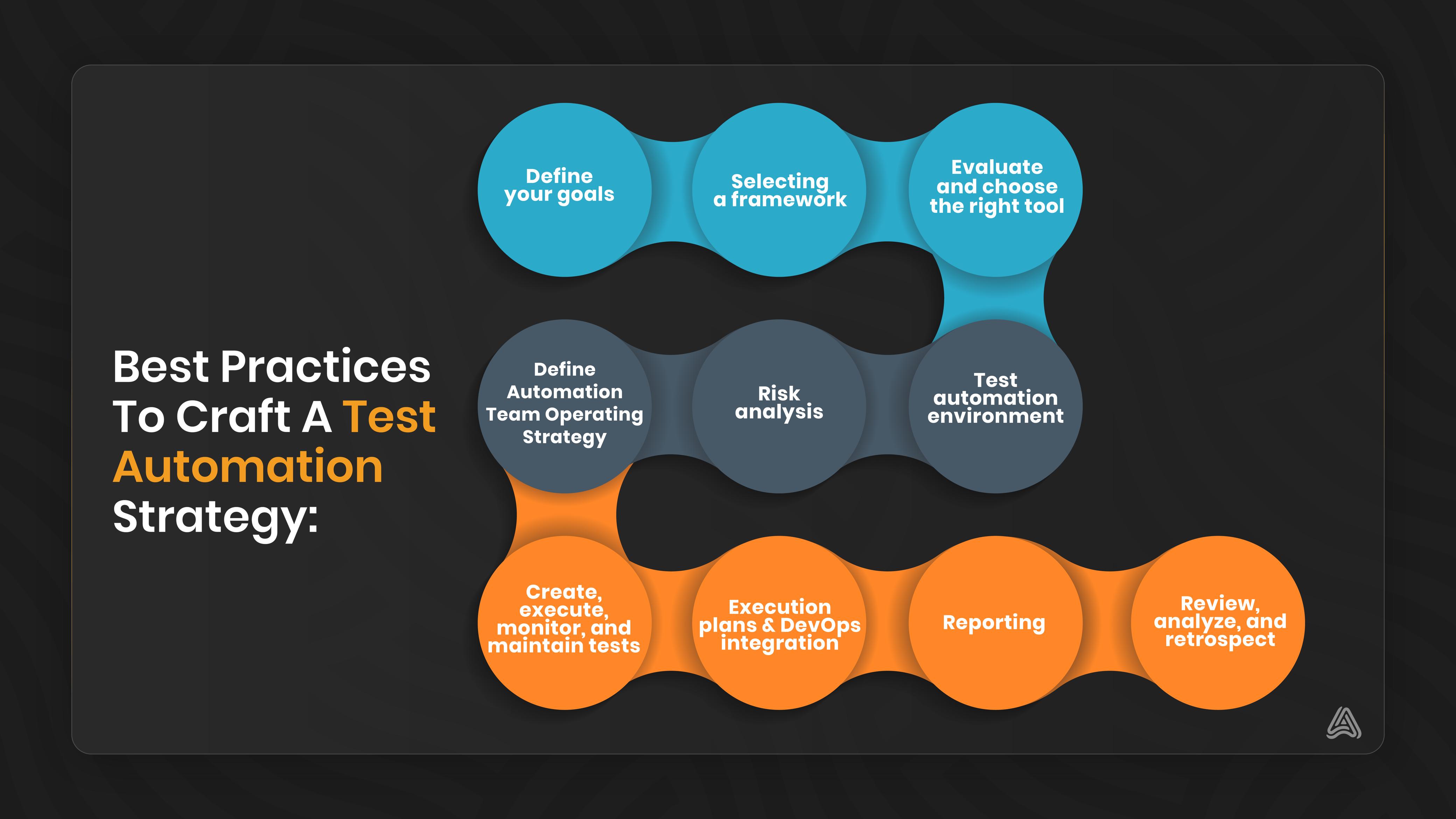
Once your checklist is ready, the next step is creating your automation strategy using the best practices. An excellent strategy depends on various factors, from the project’s specifics to the client’s desired tool and framework. Here are the universal best practices to help you create a winning test automation strategy.
Define your goals
List your short-term and long-term goals for test automation, clearly define the road map, and discuss it with your management and stakeholders. Emphasize key points such as the reasons for consideration, the scope of automation, the business value or RoI, the planned percentage of automation, the end goal, etc. This step will help you effectively kickstart your test automation strategy.
Test approach assessment and planning
An excellent approach to planning your test automation is to create test pyramids. The test pyramids help you determine the test combinations that will make your automation strategy shine. Deploy a combination of unit testing, integration and API testing, UI testing, and end-to-end testing, focusing on good test coverage and validating the business logic, visual elements validation, functionality, and workflow, respectively.
/\
/ \
/ \
End-to-End Testing
(Workflow Validation)
/\
/ \
UI Testing
(Visual Elements Validation)
/\
/ \
Integration & API Testing
(Business Logic Validation)
/\
/ \
Unit Testing
(Good Test Coverage, Functionality)
Image 3: Breakdown of a custom test pyramid
Furthermore, cross-browser and cross-platform testing can help your team understand the cross-browser requirements and the support for multiple operating systems.
Selecting a framework
Move ahead with choosing the framework suitable for your team. This selection is critical from a business point of view. For instance, the linear automation framework offers record and playback features while you record the test and execute it later. This framework lets you record each step, such as navigation, user input, or checkpoints, and plays the script automatically to run the test. It is the most appropriate for beginners but presents long-term maintenance and viability limitations.
Similarly, keyword-driven, page object models, modular-driven, library architecture, behavior-driven frameworks, etc., are a few options for you to consider. Alternatively, you may use a hybrid framework model by combining the necessary frameworks to suit your needs.
Evaluate and choose the right tool
As a rule of thumb, always select the best tool for your team rather than the best one in the market. It helps you determine the best fit corresponding to:
- The scope of the test automation tool
- Expected functionality
- Supported browsers/platforms
- Cost
- Community support and documentation
Assess the tool based on these factors and follow up by writing a few small test cases. To strengthen the tool’s proof of concept, integrate it with the CI/CD pipeline to examine how well it fits into the DevOps framework.
Test automation environment
Be specific about the storage location of your test data, automation execution, and how the report will be stored and shared. Familiarize yourself with the test environment you will use for validation, such as dev, staging, production, etc.
Risk analysis
Test automation may have risks depending on the tools and strategy you use. For instance, assume the risk for a use case if you create a separate test credential for test automation and decide to use the production environment. Plan countermeasures beforehand to mitigate the risks associated with your automation.
Define automation team operating strategy
Use this practice to establish the team’s roles as part of the high-level automation planning approach. While some organizations follow the sprint-1 strategy for automation, others follow the scrum team, where each team has dedicated automation testers.
The Sprint-1 strategy focuses on the core functions and engages the entire testing process (creation, implementation, execution, and reporting) in one sprint. In contrast, in a scrum methodology, a scrum master is responsible for mentoring the team members on effective testing and quality assurance principles and practices.
Create, execute, monitor, and maintain tests
After choosing the appropriate tool and framework, it is time to implement test automation. Draft the automation scripts, decide what to automate, begin with the crucial features, etc. Make a practice of executing the test cases frequently. Ensure regular maintenance for the test cases as active development occurs in the background.
Execution plans and DevOps integration
Create test suites for smoke, sanity, regression, etc., to plan for execution after your automation scripts are ready. Lay out the execution strategy to establish the frequency of each test type. It’s ideal to have a feature-specific test suite, as it helps the testers execute only the necessary test suites instead of executing the whole regression suite if there are feature updates. DevOps integration reduces the testing team’s dependency, allowing anyone to implement and obtain the results.
Reporting
The test automation report must contain the total number of test cases, passed or failed, without technical details that may confuse the stakeholders. The reports should include graphs and trends to make them visually appealing and easily understandable for a non-technical audience. Place the report in a common area for everyone to access and check whenever needed.
Review, analyze, and retrospect
You must review your test scripts frequently to understand the root cause behind false failures and to realize what affects the creation of your test cases. Although your testing project seems like a never-ending cycle, keeping it updated with varying requirements is essential. You must add all of these updates to the test automation strategy planning, either a UI revamp or onboarding a new tool.
Test automation strategy: significance, merits, limitations
Understanding the deliverables for stakeholders, assessing the QA team’s technical skillset, and adjusting the software development life cycle (SDLC) are a few processes that lead to a successful test automation strategy. The essential steps to strategize test automation include selecting appropriate tools and frameworks, evaluating the current test environment, and ensuring automation reliability.
A strategy is necessary to avoid pitfalls like inadequate test coverage, CI/CD pipeline integration issues, high maintenance overheads, and accurate RoI estimations. The lack of strategy induces chaos and shortcomings at all phases of the development process.
On the other hand, a potent strategy draws the roadmap for automation with comprehensive documentation, insights into probable risks, and their mitigation. It allows flexibility for reconfiguration at all stages, establishes the benchmark for future tests, and aligns automation efforts with organizational goals. Conversely, a poor strategy accounts for resource wastage, high maintenance costs, and impulsive and ineffective framework modifications. Hence, you must weigh these considerations to enhance the efficacy of test automation.
Delegating test automation tasks via AutoFlow Studio
A thorough test automation strategy, associated practices, and checklist are only as good as the tool you use to conduct the tests. A competitive tool should possess the prowess of cross-browser and cross-platform test automation capabilities that make life easier for QAs. AutoFlow Studio offers all of these attributes that can streamline your operations and simplify QA processes with E2E and no-code/low-code testing advantages.
The E2E approach envelopes both the test creation and test maintenance aspects. The AutoFlow Studio recorder facilitates AI-powered test creation, where you can edit your steps to randomize the data. Randomized input data such as name and login credentials can help you test models or algorithms against unexpected scenarios and perform A/B testing in ways that are not affected by any patterns or biases. Randomization also ensures that each model variation has a similar distribution of characteristics, reducing the risk of sampling errors.
Additionally, AutoFlow Studio introduces visualizations that help with the efficiency of test coverage management. It also entails a smooth QA process by reusing variables and test components for further tests.
Conclusion
QAs, management, and stakeholders are always looking for test management solutions that strike the right balance between quality, efficiency, and resilience. The AutoFlow Studio effectively blends the reconfigurability and adaptability of open-source tools, promoting higher cost savings with faster time to market. It also helps you expedite your test suite publication to the web with secure test recordings, detailed reports, and test coverage visualizations.
Discover how you can fast-track your software development with test automation by implementing the best practices discussed in this guide with the AutoFlow Studio test automation suite. It offers a centralized platform to help you organize your testing efforts and deliver customer-centric software solutions. Find out more by signing up for a 30-day free trial.

Comments